2027 vision board guide: plan the year in twelve tiles
How to make a 2027 vision board that survives past January: twelve tiles across the year, quarterly checkpoints, a monthly review, and a next action under every image.
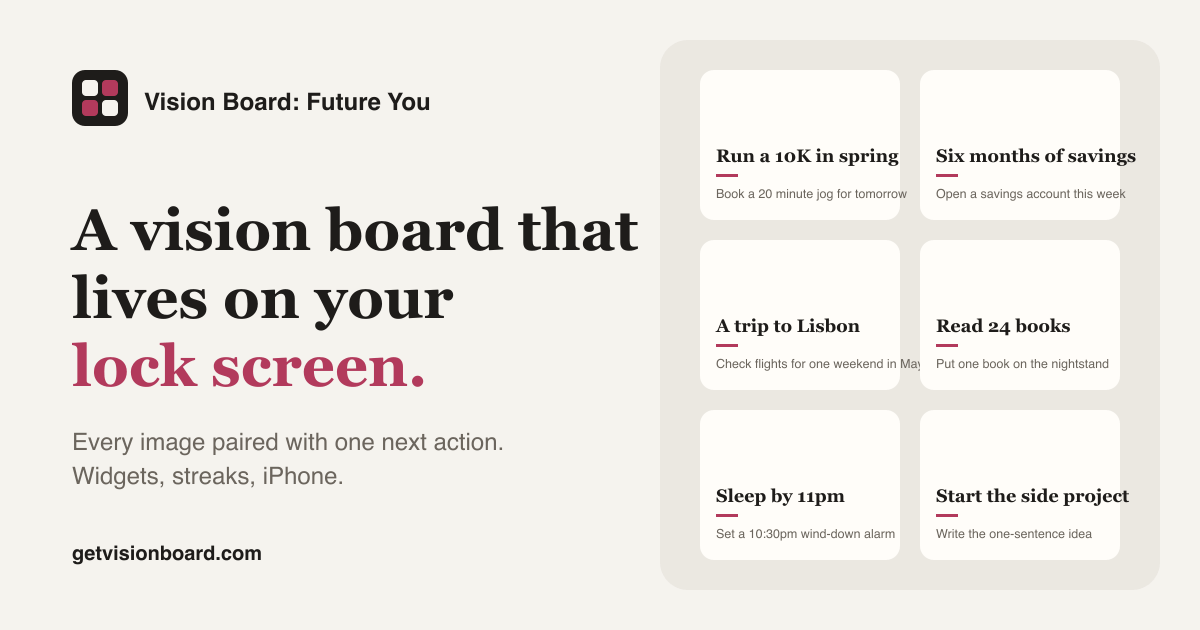
New Year boards die in February. The pattern is so reliable that vision board apps rename themselves every autumn, Vision Board 2026 becomes Vision Board 2027, because the January surge is the whole business. The board itself was never the problem. What kills it is that twelve goals get made for January and nothing is planned for the other eleven months.
A 2027 board that lasts is built differently: spread across the year, checked on a schedule, and carried on a lock screen instead of a folder. Here is the version we recommend, with a template you can open in the maker.
Write the year as four quarters, not one January
Take a sheet and divide it into Q1 to Q4. Put no more than three outcomes in each quarter. Some will naturally belong to a season: the race in spring, the holiday in summer, the promotion conversation before the year-end review. Spreading them does two things. It stops January from carrying the whole weight, and it gives every tile a date, which makes it a goal rather than a wish.
The twelve tiles of the 2027 template are already arranged this way: dated outcomes, a couple of year-long habits, and three routine tiles that keep the board alive.
Add the three tiles that keep the board alive
Most boards contain only outcomes. Add three tiles that are about the board itself.
A monthly review on the first Sunday: ten minutes to tick what happened and write the next actions. A mid-year reset in July: one afternoon to rebuild the board with what you have learned. A rest week you protect in advance, because a year of goals without rest ends in a September collapse. These three are the difference between a plan and a poster.
Give every tile one January action
The research on why boards fail is unambiguous. Gabriele Oettingen’s work on positive fantasies found that vividly picturing an outcome, without a plan for what stands in the way, lowers the effort people put in. So every tile gets one next action you will do in the first two weeks of January: register for the race, set up the standing order, request the holiday dates, enrol in the course. Do not write anything for March yet. When January’s action is done, write February’s.
Make the pictures yours
Use your own photos where you have them: the trail you will train on, the desk where the project happens, the people you want more dinners with. Where you do not have a photo yet, pick one image and move on; the caption and the next action do the work. A board that looks like a magazine spread is a sign that the goals belong to a magazine.
Put it on the lock screen before you go back to work
Export the board and set it as your iPhone lock screen before the first working day of the year. Then add a widget that rotates tiles. The board needs to be seen at 7am on a Tuesday in February, and no wall, notebook or desktop folder is looked at then. The lock screen guide covers sizes and settings.
Review on the first Sunday of every month
Set twelve reminders now. On each first Sunday: tick the actions that happened, write a new action for every tile that moved, and change the tile for any goal that is done or no longer true. Change the style or the order of tiles every couple of months so the board stops being invisible. Expect the July board to share about half its tiles with the January one. That turnover is the plan working, not the plan failing.
What a good 2027 board looks like in December
Some tiles will be finished and replaced. Some goals will have been dropped on purpose, in July, when you admitted they were never yours. A few will be unfinished with a clear next action still under them, which is a fine place to be. What you will not have is a board that looks the same as it did on the first of January while nothing moved. That is the only outcome this guide is trying to prevent.
Main claim: A 2027 vision board lasts when the goals are spread across four quarters, every tile has a January action, and the board is reviewed and changed on the first Sunday of every month.
Get the app
Put your board on your lock screen and widgets, pair every image with one next action, keep a streak. Free 7-day trial on iPhone.
Get the appOr start free in the web maker →Frequently asked questions
When should I make my 2027 vision board?
Late December or the first week of January, when you have a few quiet hours, and then again in July for a mid-year reset. Making it earlier is fine; the board is a plan, not a ritual tied to a date.
What goes on a 2027 vision board?
Nine to twelve outcomes for the year across the areas that matter to you now, some dated by quarter, plus the routines that keep the board alive: a monthly review and a mid-year reset. Every tile gets a next action to do in January.
How do I keep a New Year vision board going after January?
Spread the goals across the year instead of front-loading them, review on the first Sunday of every month, and change the board when a goal is done or no longer yours. A board that looks the same in June as in January has stopped working.