How to make a digital vision board you actually see every day
A digital vision board only works if it is in front of you. How to build one in 20 minutes, put it on your lock screen, and pair every image with a next action.
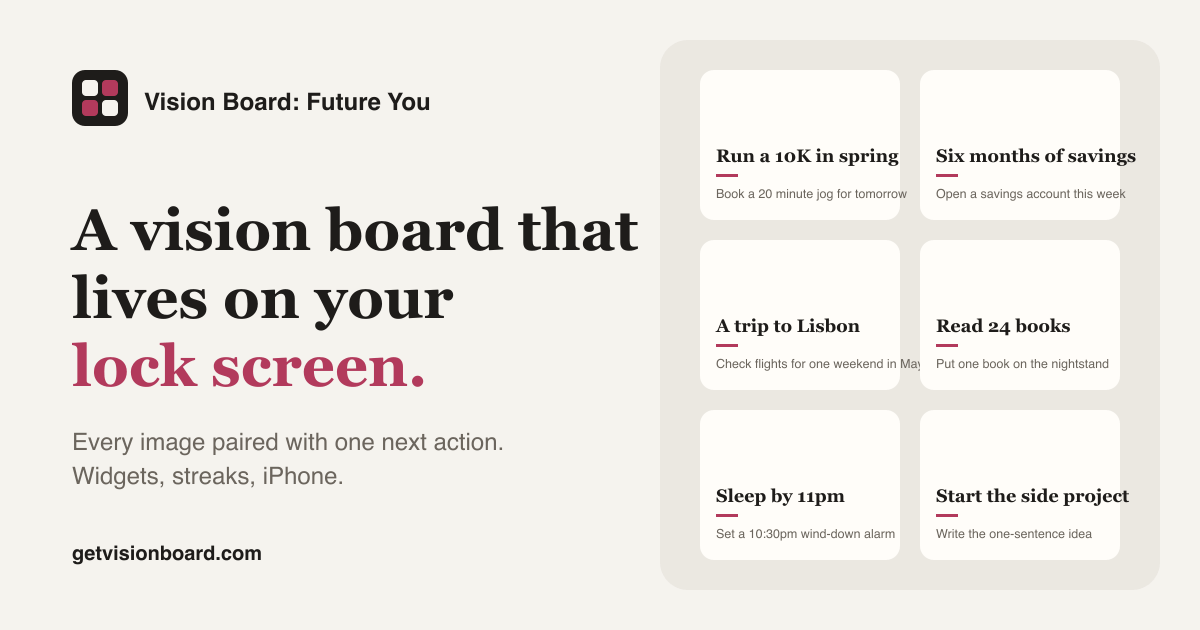
Most digital vision boards are made once, admired for a day and then buried in a folder called Screenshots. The problem is not the board. It is that a file on a hard drive is not a place you look. This guide builds a board in about twenty minutes and, more importantly, puts it where your eyes already go dozens of times a day.
Two rules run through everything below. The board has to be visible without effort, and every image has to carry one action you can do this week. Skip either and you have a collage.
Start with goals, not with pictures
Open a note and write down twelve things you want to be true a year from now. Write them as outcomes you can picture: run a 10K, a kitchen with morning light, three months of savings, a weekly call with your mother. Vague words like happiness or abundance cannot be photographed and cannot be acted on, so leave them out.
If you cannot get to twelve, that is fine. Nine is a good board. Twelve is the upper limit that still fits on a phone screen with readable text.
Give every goal one next action before you touch an image
This is the step most guides skip and the one the research is clearest about. Psychologist Gabriele Oettingen spent two decades studying positive fantasies. In study after study, people who vividly imagined a good outcome, without confronting what stood in the way, put in less effort and achieved less than people who paired the picture with a plan. Her summary in Rethinking Positive Thinking is blunt: dreaming feels like progress and quietly replaces it.
So under each goal, write one action small enough to finish before Sunday. Not train for the 10K but book a 20 minute jog for tomorrow morning. Not save more but open a separate savings account. The action is the part of the board that does the work; the image is what makes you read it.
Choose images of your own life over stock photos
A photo of a stranger on a yacht is a photo of a stranger. A photo of your own running shoes by the door, the flat you viewed last weekend, or the cafe where you want to write is yours, and it triggers memory instead of envy. Use your camera roll first. When you need something you do not have yet, choose the least glossy option you can find. Stock photography reads as advertising, and your brain has spent years learning to ignore advertising.
Nine to twelve images, each cropped to the same shape, is enough. Consistency in the crop matters more than quality of the photo, because a tidy grid reads as a plan and a messy one reads as a mood board.
Build the grid in twenty minutes
Any tool that makes a grid will do. The free maker on this site is built for exactly this format: a 3x4 grid, an image, a caption and a next action per tile, six styles, PNG export, and nothing uploaded anywhere. If you want a head start, open a template such as the new year board in the maker and replace the captions with your own.
Whatever tool you use, keep the text on the tiles short. A caption is the goal in five words. The next action is one line. If a tile needs a paragraph, the goal is not clear yet.
Put it on the lock screen, then in a widget
This is the difference between a board you made and a board you see. Export the image and set it as your lock screen wallpaper. On iPhone that is Photos, share, Use as Wallpaper. Now the board is the first thing you see every time you pick up the phone, which for most people is between 50 and 150 times a day. No wall in your home gets that much attention.
A widget on the home screen is the second placement. The iPhone app rotates a single tile every hour, so the goal you see next to your calendar changes through the day. If you use the free maker only, crop one tile and set it as a photo widget.
Review it on a fixed day, and let it change
A board that never changes becomes invisible within a month. Pick one day a week, Sunday evening works for most people, and do three things: tick the next actions you finished, write a new next action for each goal that moved, and replace any tile that no longer feels true. The board should look different in March than it did in January. That drift is the evidence that it is working.
If you keep a streak of completed next actions, the app does this for you, but a note on your phone is enough to start.
What to do when you stop looking at it
You will. Around week three the wallpaper turns into background. When you notice, change the style or the order of the tiles. A different colour or a swapped position brings the board back into focus for another few weeks. This is also the moment to check whether the goals are still yours; a tile you keep skipping is usually a goal you no longer want, and removing it is progress too.
Main claim: A digital vision board changes what you do only when it is in front of you every day and every image carries one action you can finish this week. Build it for the lock screen, not for the folder.
Get the app
Put your board on your lock screen and widgets, pair every image with one next action, keep a streak. Free 7-day trial on iPhone.
Get the appOr start free in the web maker →Frequently asked questions
How many images should a digital vision board have?
Nine to twelve. Fewer than nine feels thin; more than twelve turns into wallpaper you stop reading. A 3x4 grid fits a phone screen and still leaves room for a caption and a next action under each image.
Where should I put a digital vision board so I see it?
On the lock screen of your phone, then in a home-screen widget. You unlock your phone somewhere between 50 and 150 times a day, which is more attention than any wall in your home gets.
Do vision boards actually work?
Pictures alone do not. Research by Gabriele Oettingen found that people who only fantasise about a positive outcome put in less effort and achieve less. Boards work when each image is paired with a concrete next action, which is why this guide insists on one.
Can I make a digital vision board for free?
Yes. The free web maker on this site builds a 12-tile board with captions and next actions and exports a PNG, with no account. The iPhone app adds the lock screen, widgets and streaks.